
Selected Work
Designing the language AI agents use to earn trust.

Timeline
Q4 2025
V.1 launched
Skills
Interaction design
Prototyping
User research
Micro-interaction
My Role
Design strategy
IxD
Prototyping
Research
Team
PM
UX Research
Engineering
UX Manager
Me
My impact
Every agent team was solving onboarding independently. I designed the model that stopped that. One framework, adopted platform-wide, no per-agent redesign required.
+38%
Initial engagement
+27%
Completion rate
+31%
Capability retention
+19%
7 Day return
Problem
Users couldn't decide what to do first — so they left.
The first-use experience for every Copilot agent was a blank prompt input. No framing of purpose. No signal of what was possible. Users faced a decision — try something, or close it — without the context to make it confidently.
AI agents aren't fixed-feature software. Their outputs are contextual, probabilistic, dependent on user data. A blank input communicates nothing about what the agent can do, or why it should matter for a specific user's work. 1,257 research sessions confirmed the pattern: early confusion led to abandonment before users attempted a second session.
A second problem was invisible until I mapped it: every agent team was solving onboarding independently. Without a shared interaction model, each new agent added another inconsistent pattern to an already fragmented platform.
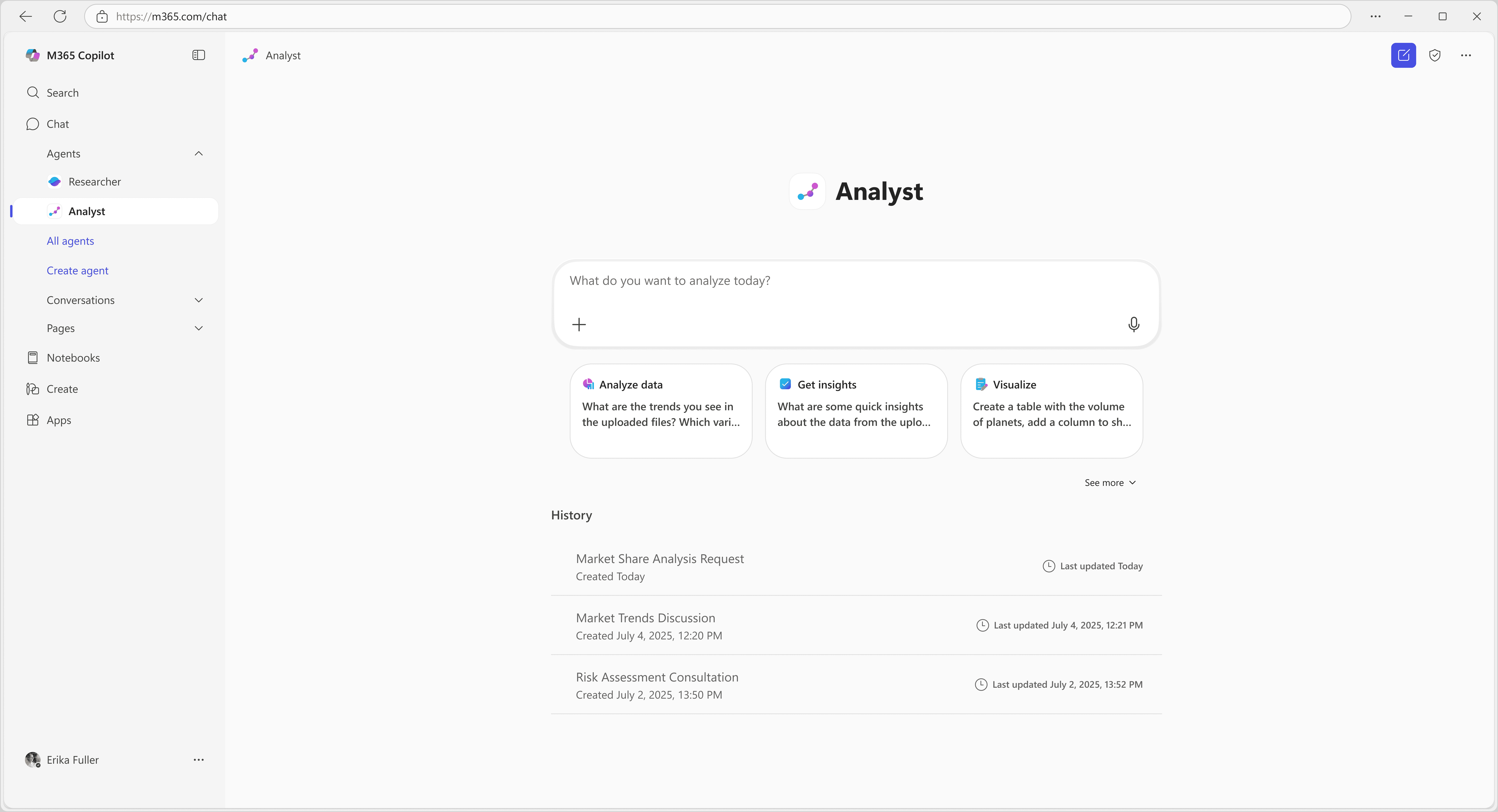
The interface did not make it clear what the agent could do or how to start interacting with it.
Key decision
Prompt starters were the wrong answer.
I said so before the data confirmed it.
They suggested actions, but didn’t explain what the agent actually does.
Team's position
"Build better prompt starters."
Faster. An established pattern. Gives users a visible starting point. Solves the blank-input problem immediately
Direction taken
Shared framework
Finite examples in an infinite-output system don't communicate capability — they cap it. Every prompt starter is an implicit ceiling on what users believe the agent can do. The structural problem: examples become the mental model.
What the data confirmed — 7-Day Retention by Onboarding Approach
The prompt starters conversation ended. The framework conversation began.
Users who received a meaningful output in session one showed dramatically higher retention. Real output landed. Prompt starters did not.
Explorations
Three approaches evaluated.
All rejected for the same structural reason.
Rejected
Dialog introduction
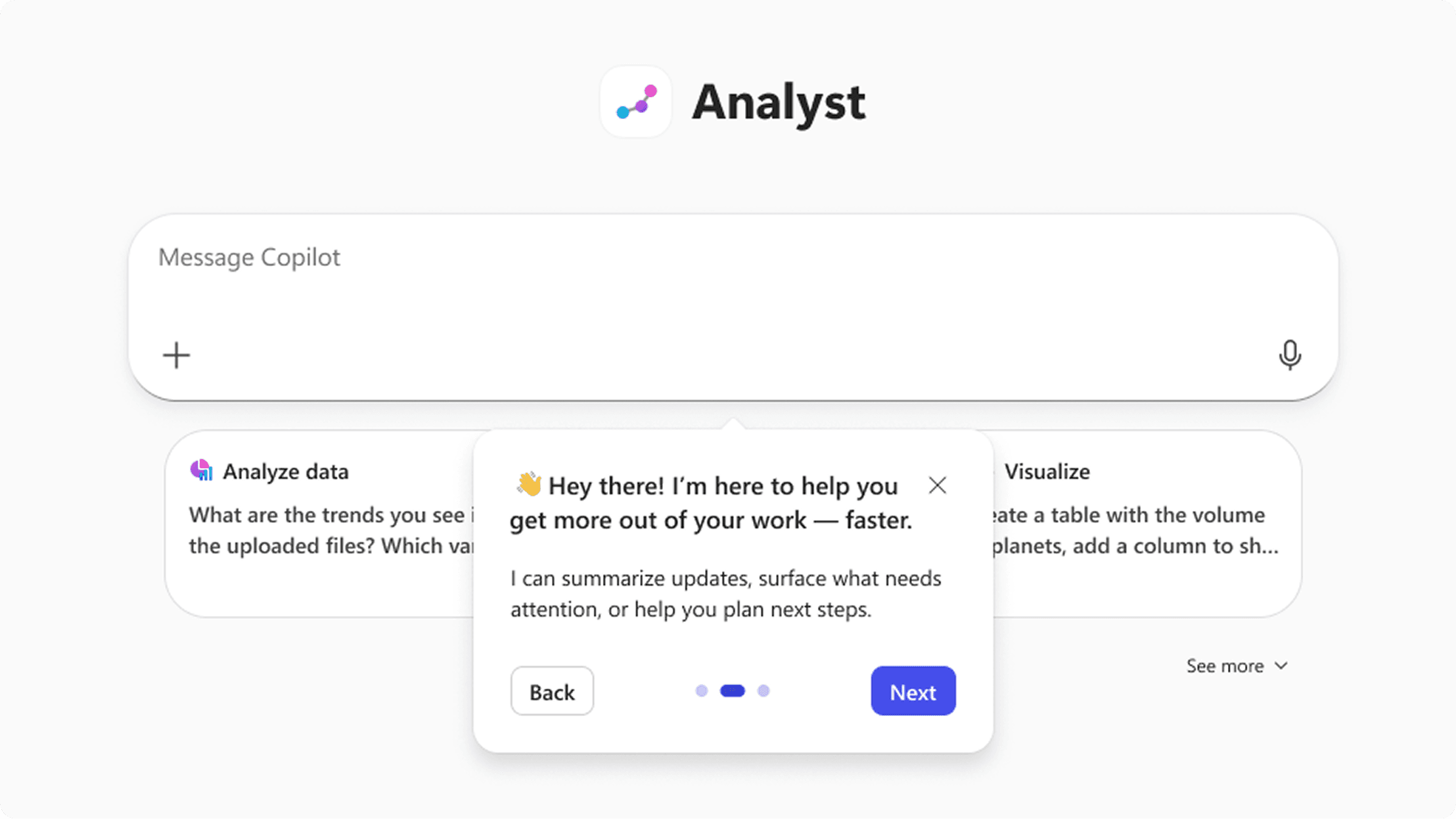
Appeared before users had context. Forced a decision without the information to make it. Dismissed without reading in testing.
Rejected
Prompt starters
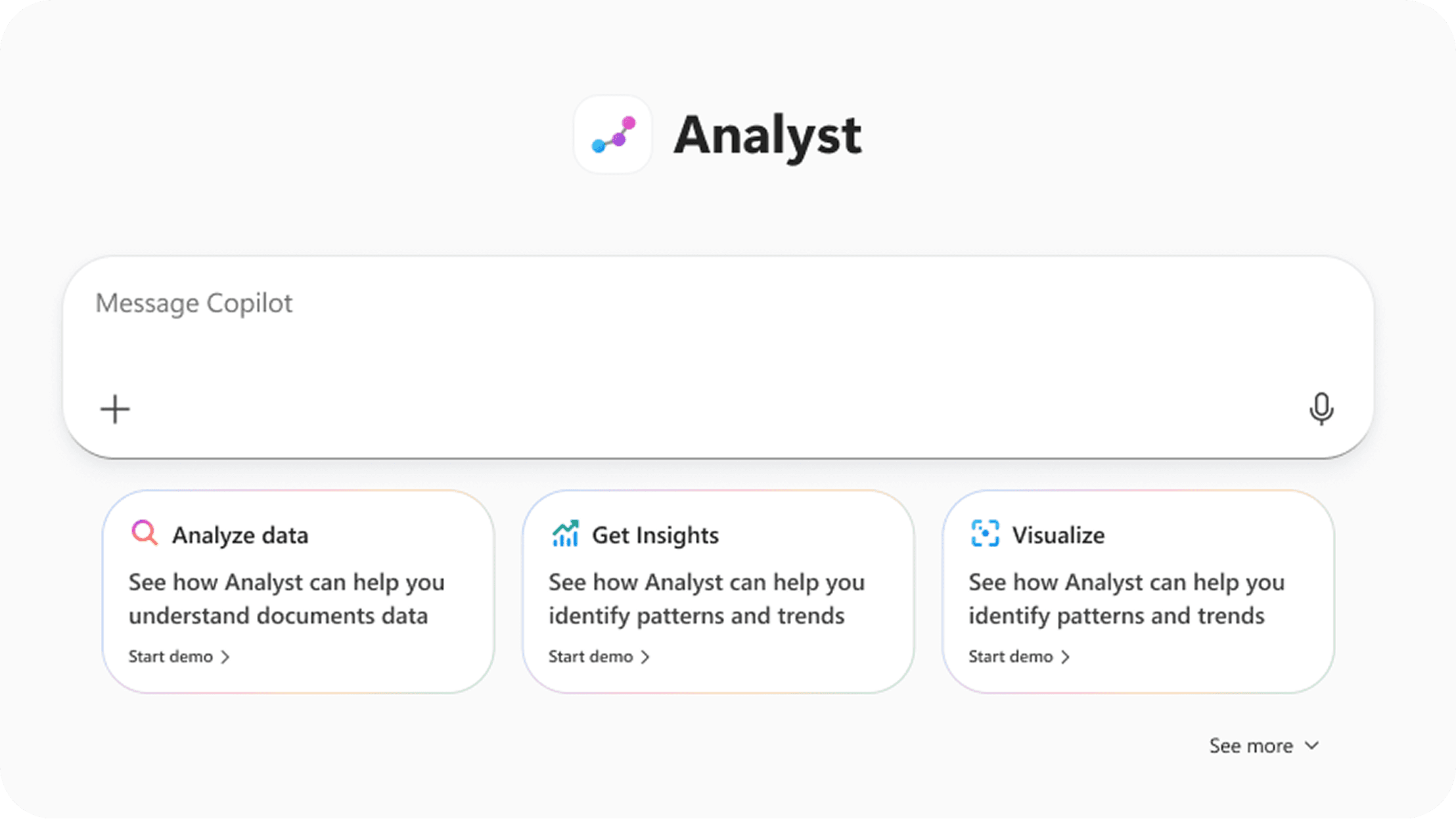
Already in the product. Dismissed in the previous section on structural grounds — not iterated on here.
Rejected
Structured tour
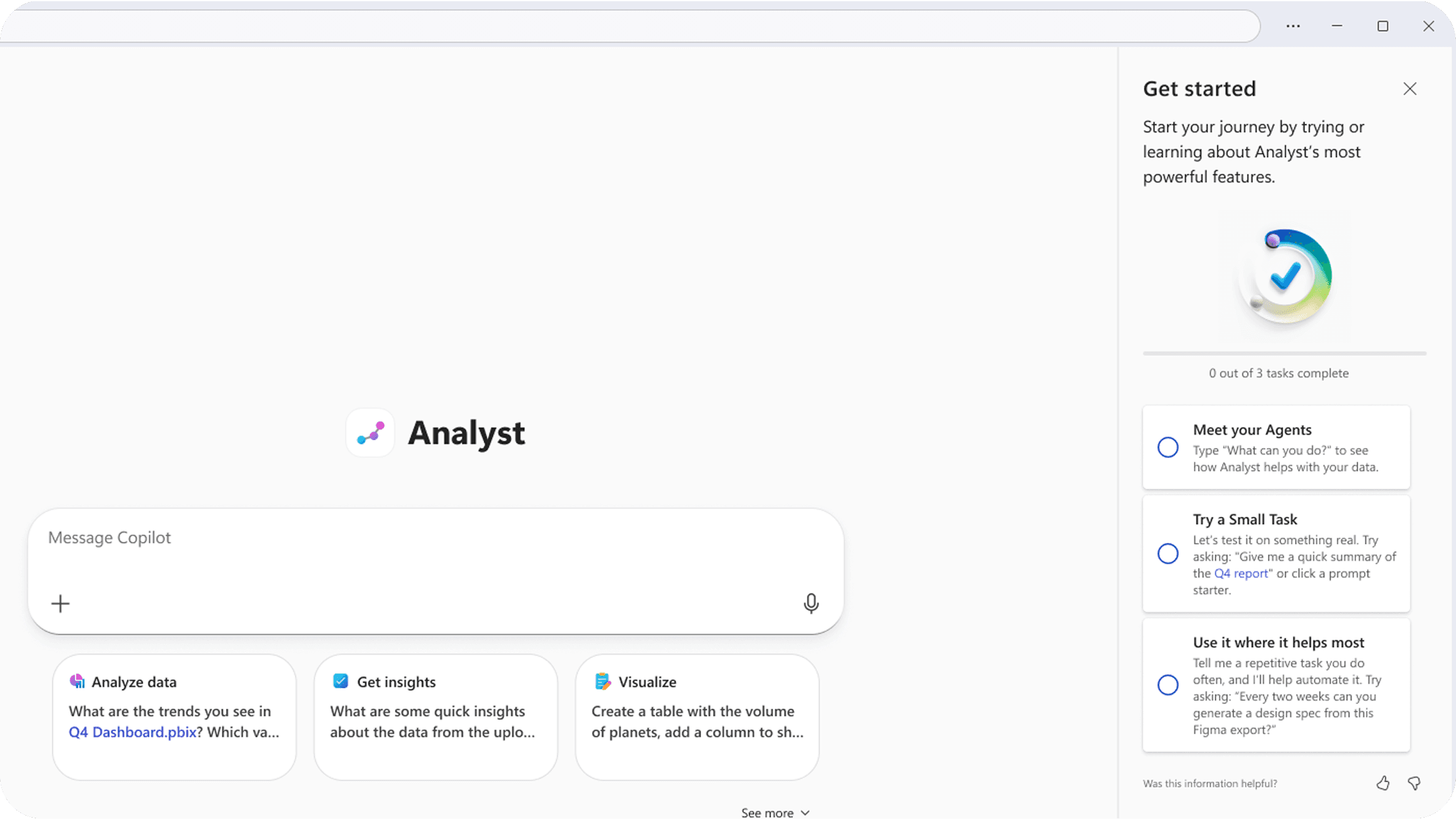
Strongest comprehension in testing, but brittle—hardcoded flows break as agents evolve, making it unsustainable at scale.
The constraint that settled it: I wasn't designing for one agent. Any solution requiring per-agent customization would fail as the platform scaled. Product leadership wanted a single improved flow for Researcher. It took three conversations and a prototype showing the same four steps hold across two agents with different capabilities before the team moved off that position.
Framework
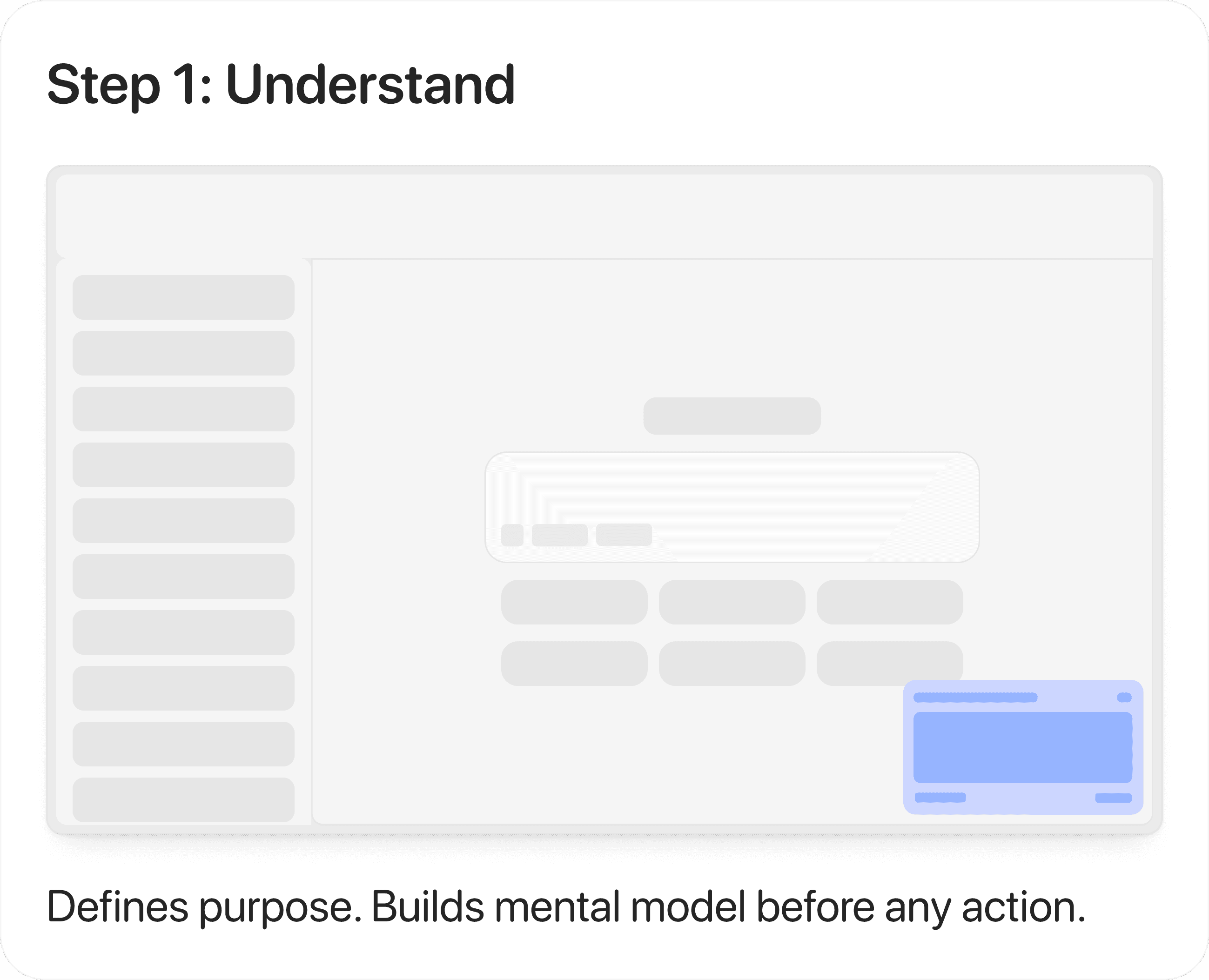
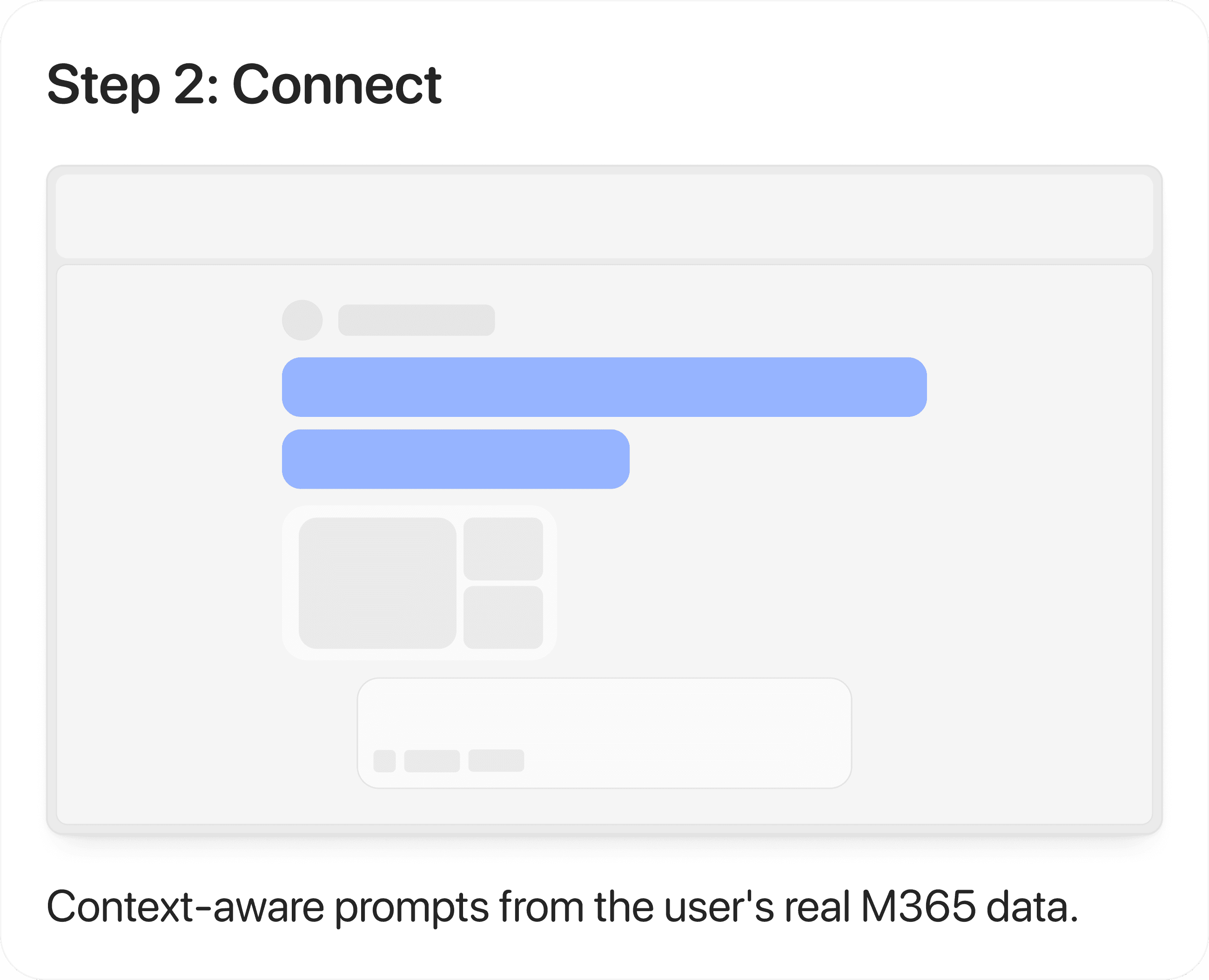
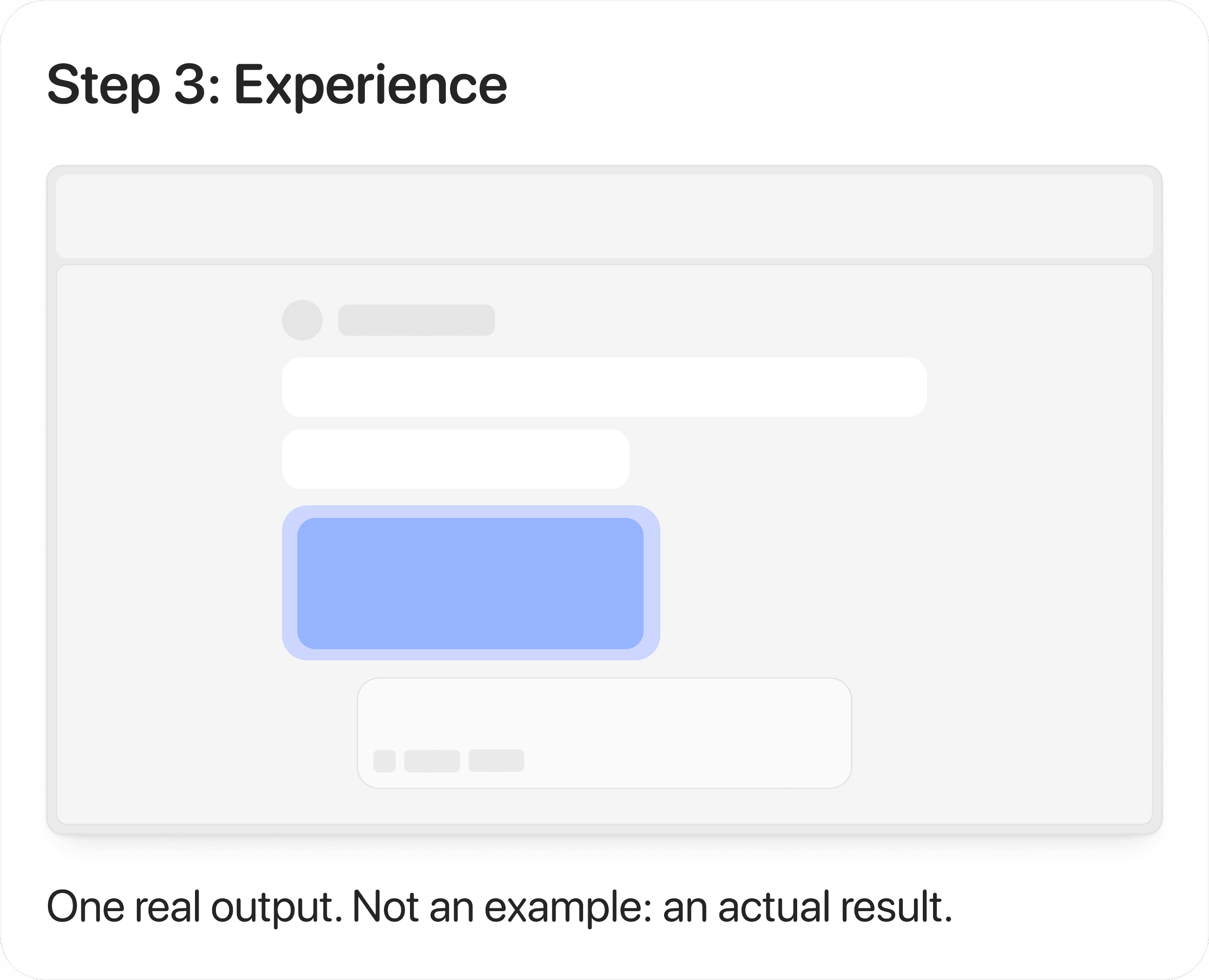
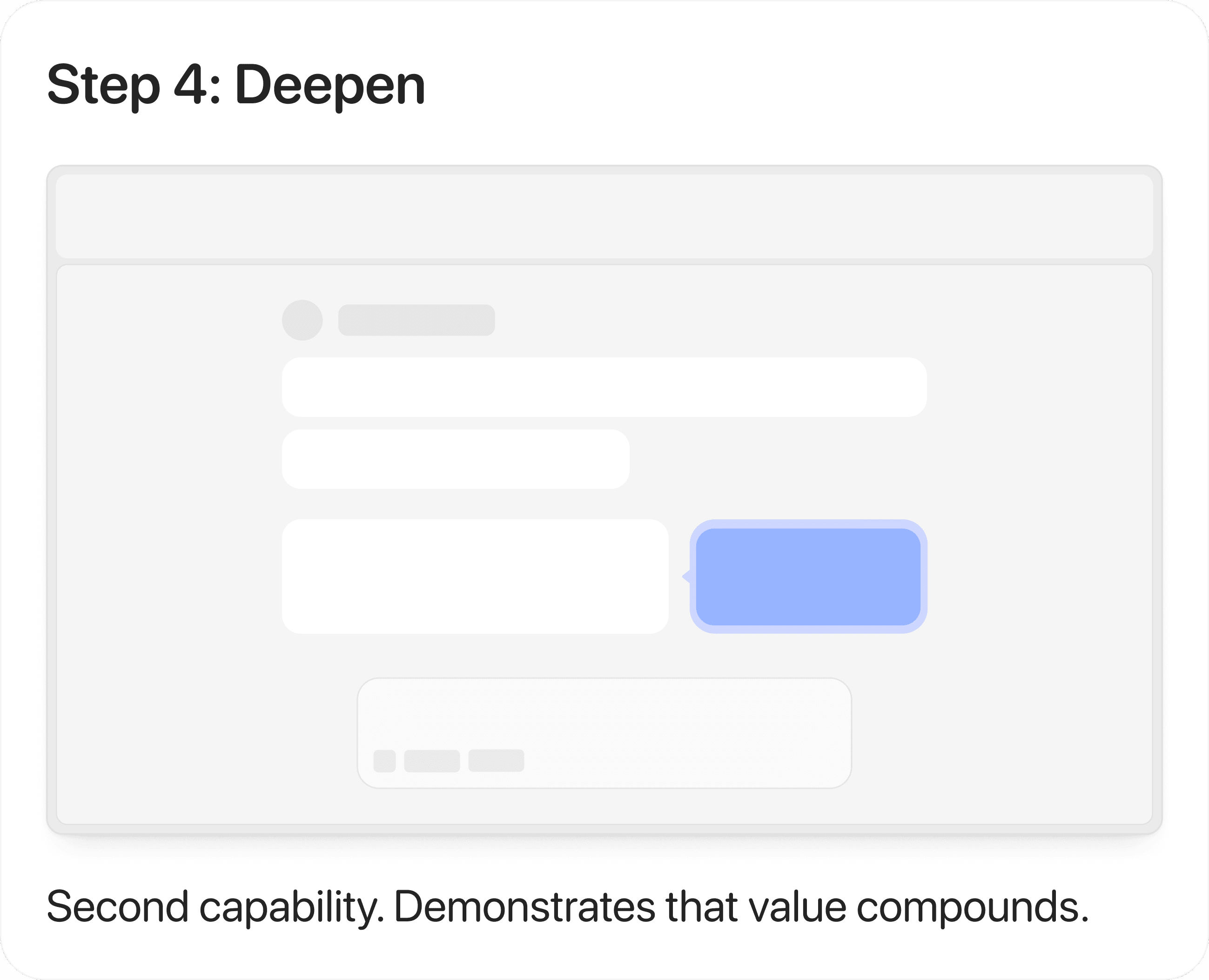
Four screens. Each one earning the next.
The framework defines four sequential states—Understand, Connect, Experience, and Deepen—each designed to prepare the user for the next step. Skipping early states reduces clarity, while overextending them delays interaction, making sequencing critical to both comprehension and adoption.
UI System
Core Interaction Components
Final interaction components shipped in Copilot.
Agent entry point
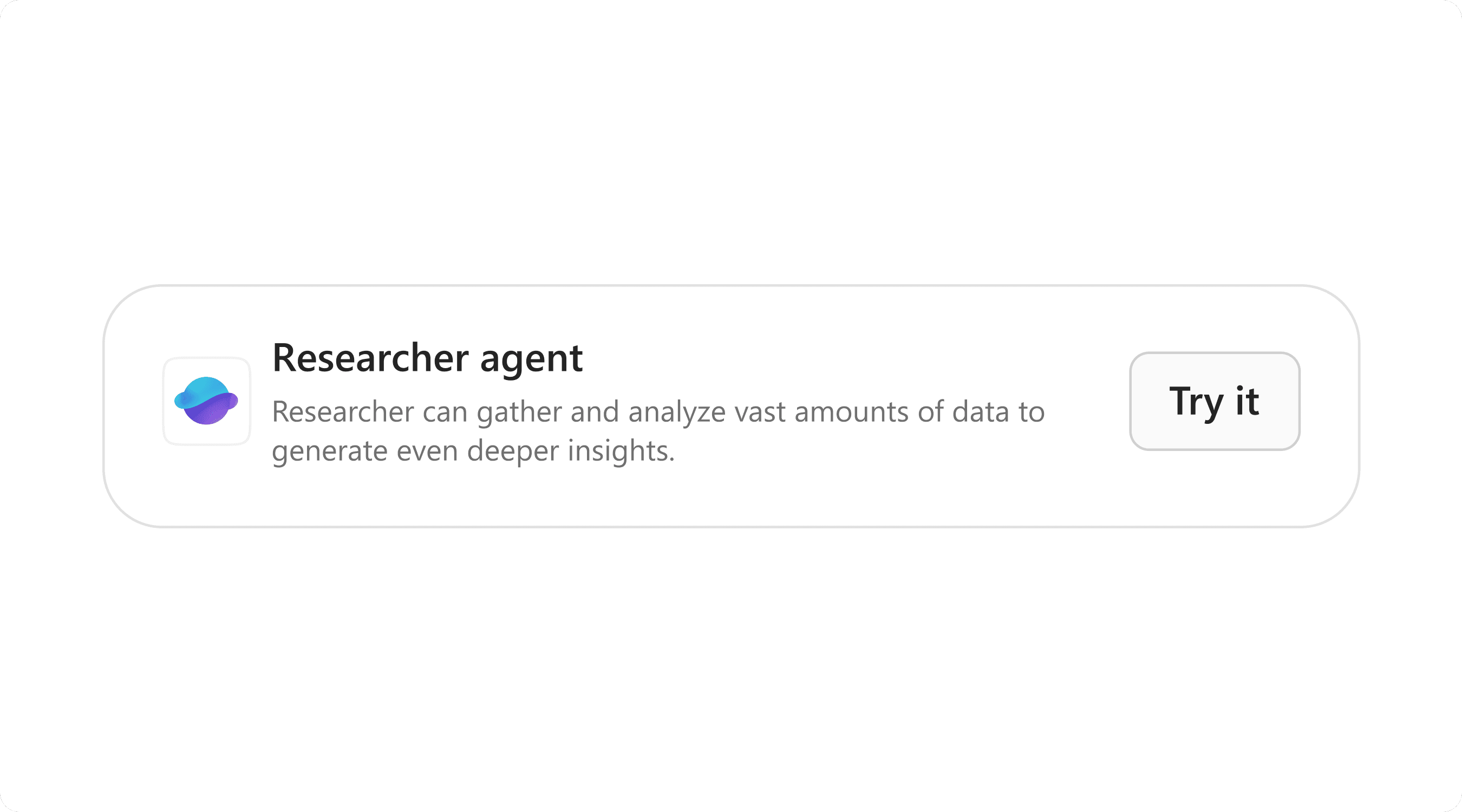
Surfaces the agent inline at the moment of user intent.
Task-led prompts
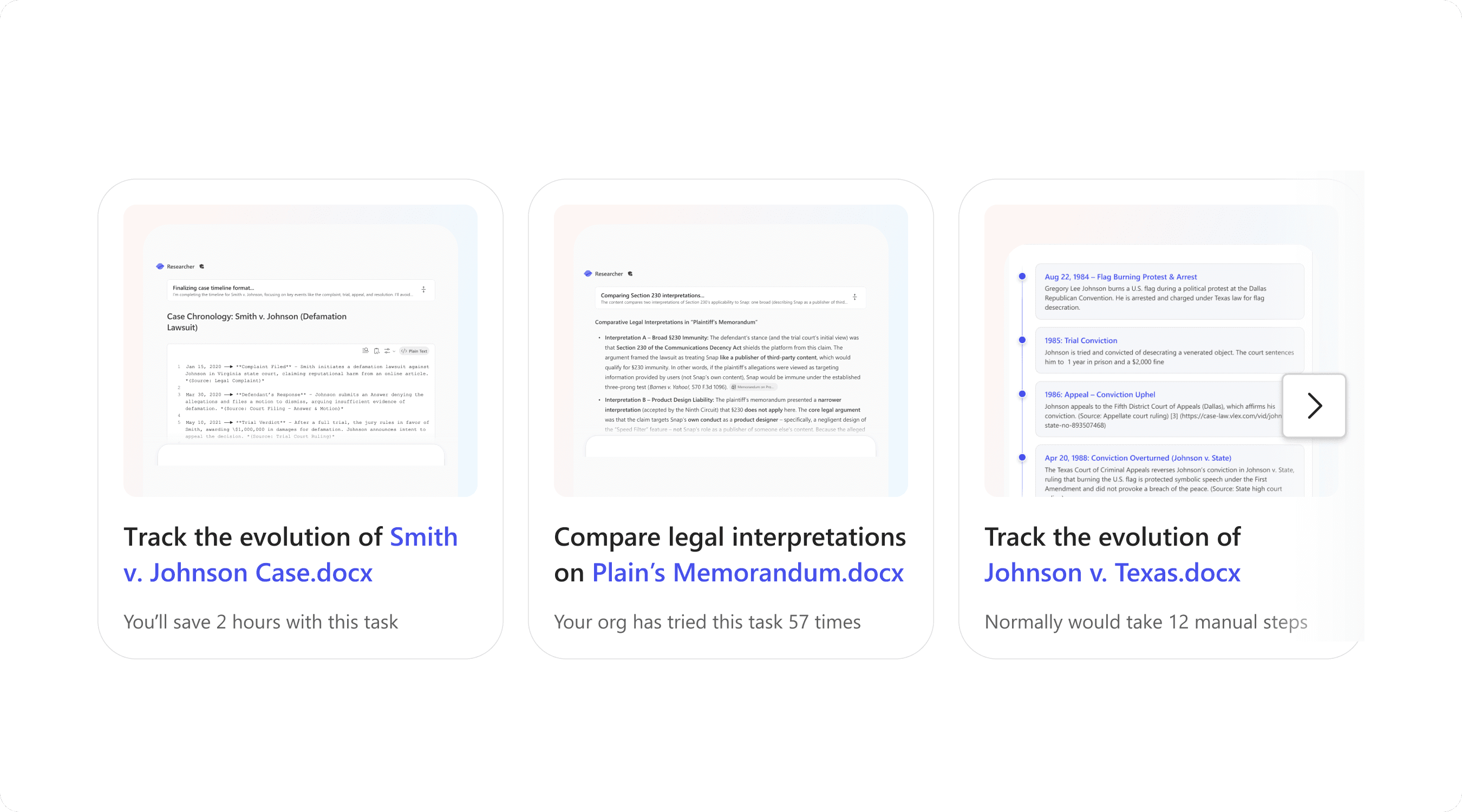
Turn empty states into actionable starting points.
Agent introduction
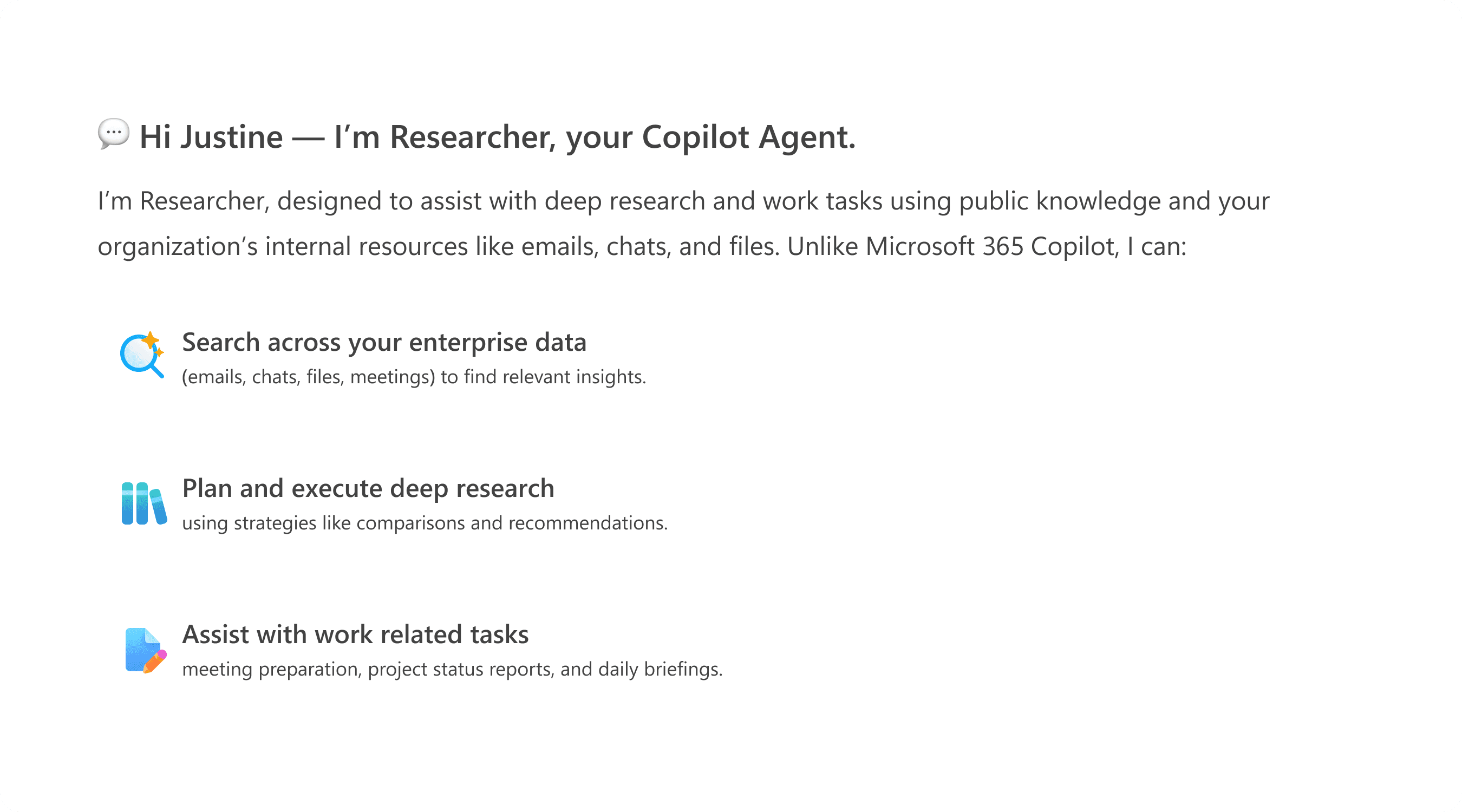
Defines what the agent does and when to use it at the point of entry.
Completion
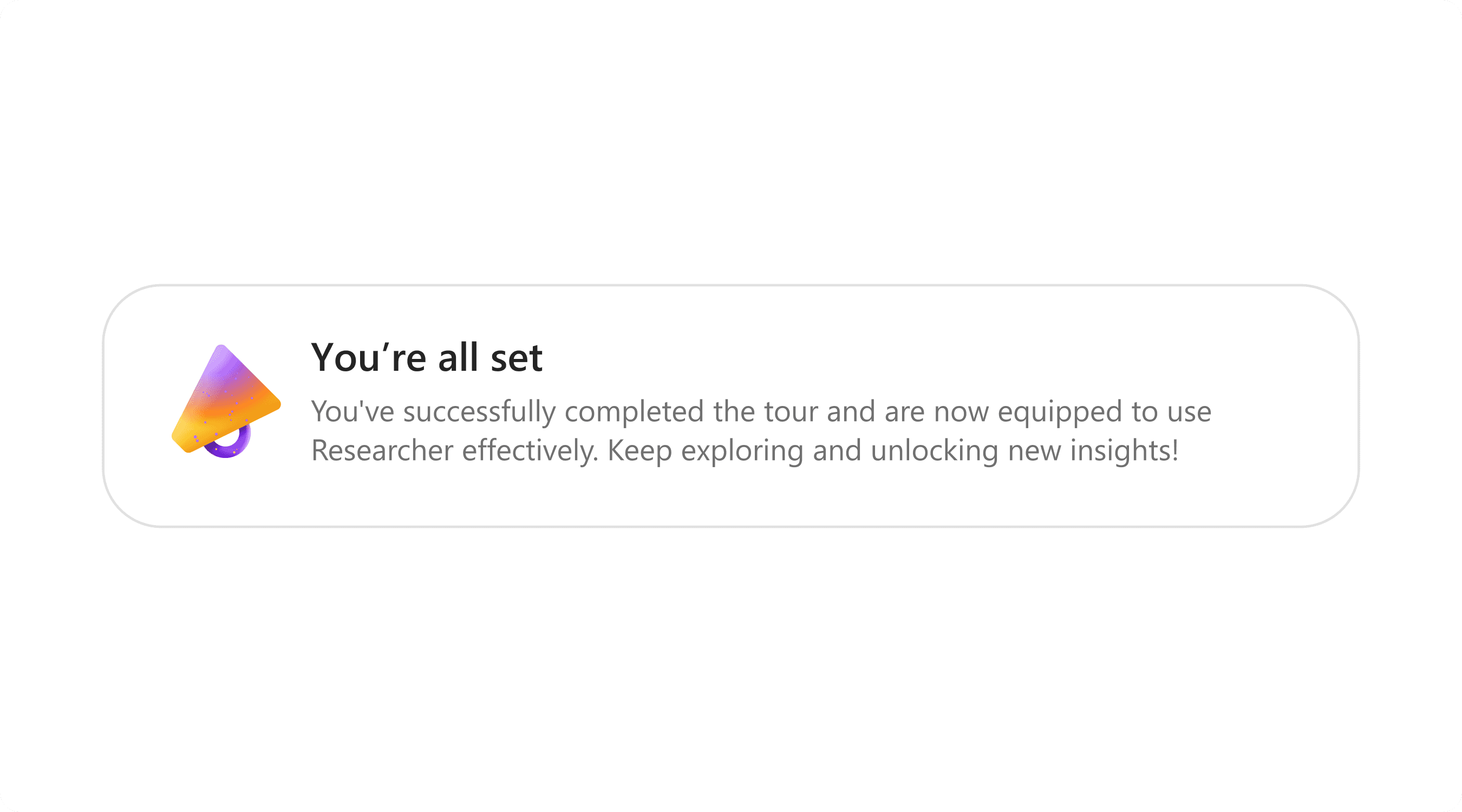
Closes the loop and guides next actions.
UI Shipped
One screen. Four decisions.
The Connect step is where the framework either earns retention or loses it.
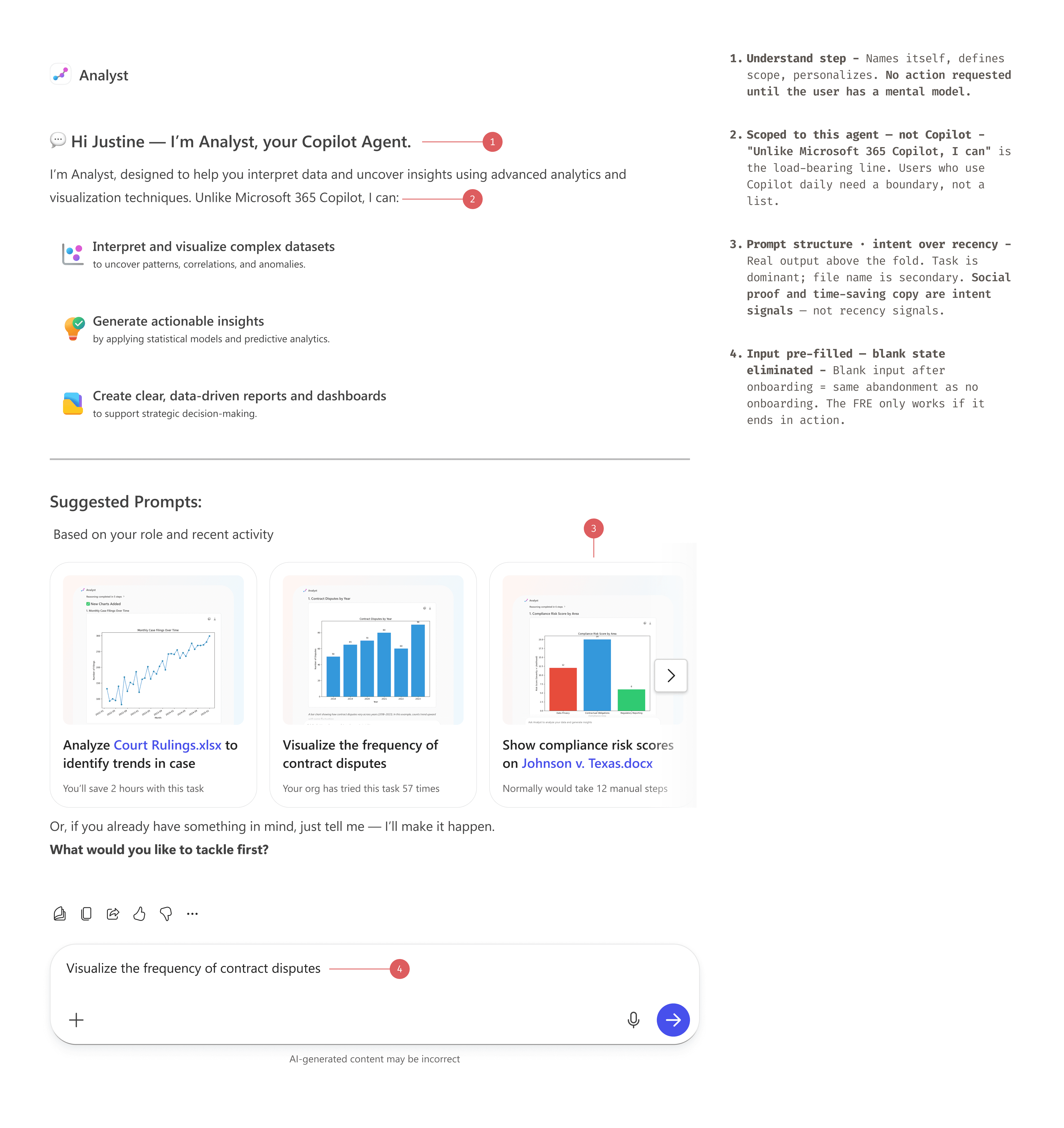
Interaction
Interaction Flow
The system resolves into a guided interaction embedded directly in Copilot, where users understand, act, and learn within the same flow.
The experience unfolds progressively, moving from introduction to action without breaking the user’s flow.

Progressive Guidance Model
How the experience changes after first use
The interface adapts to user familiarity, progressively reducing guidance while increasing direct access to core actions.
First use
Highest guidance
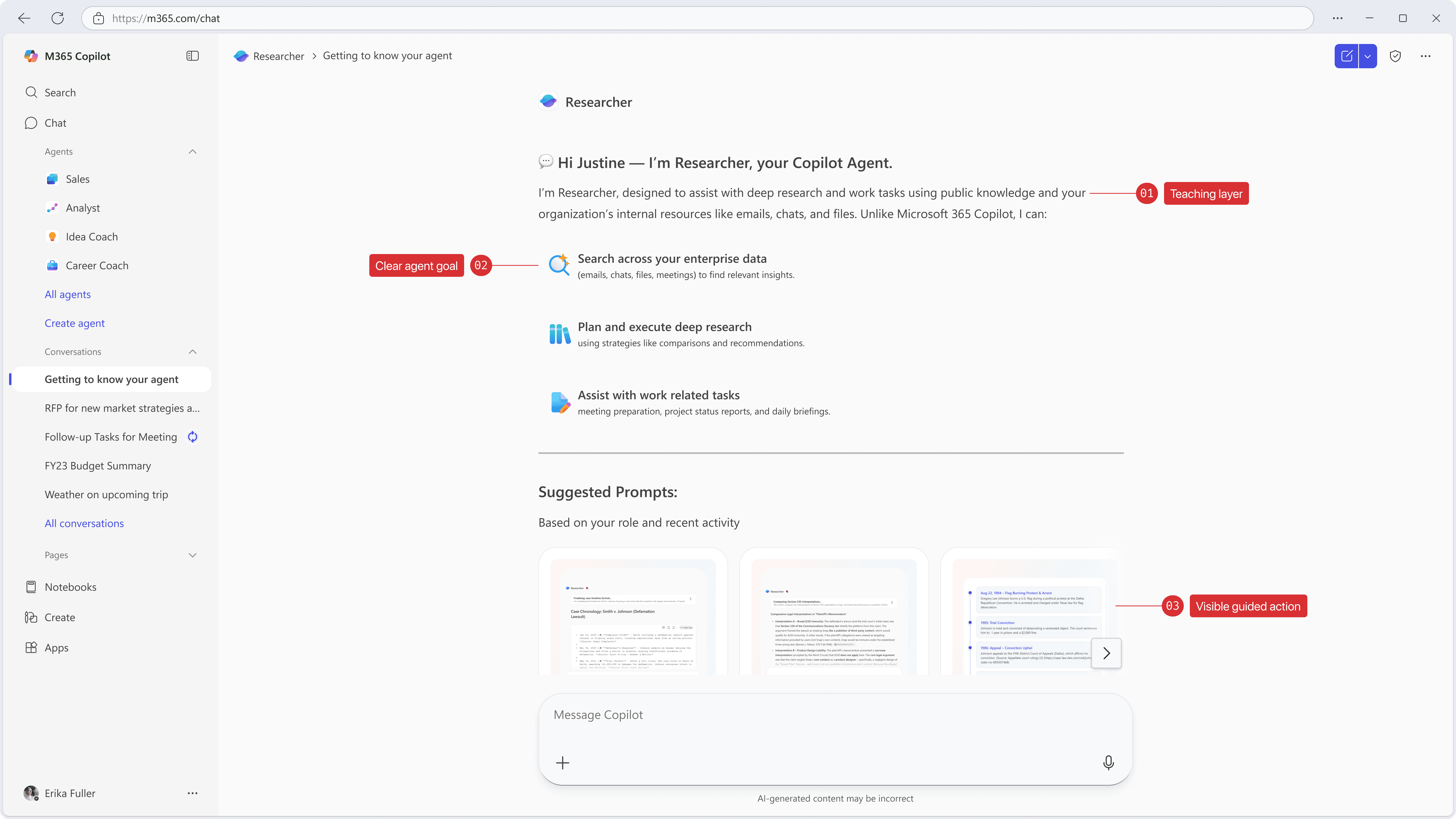
On first use, the interface explains what the agent is for before asking the user to act.
Returning user
Reduced guidance
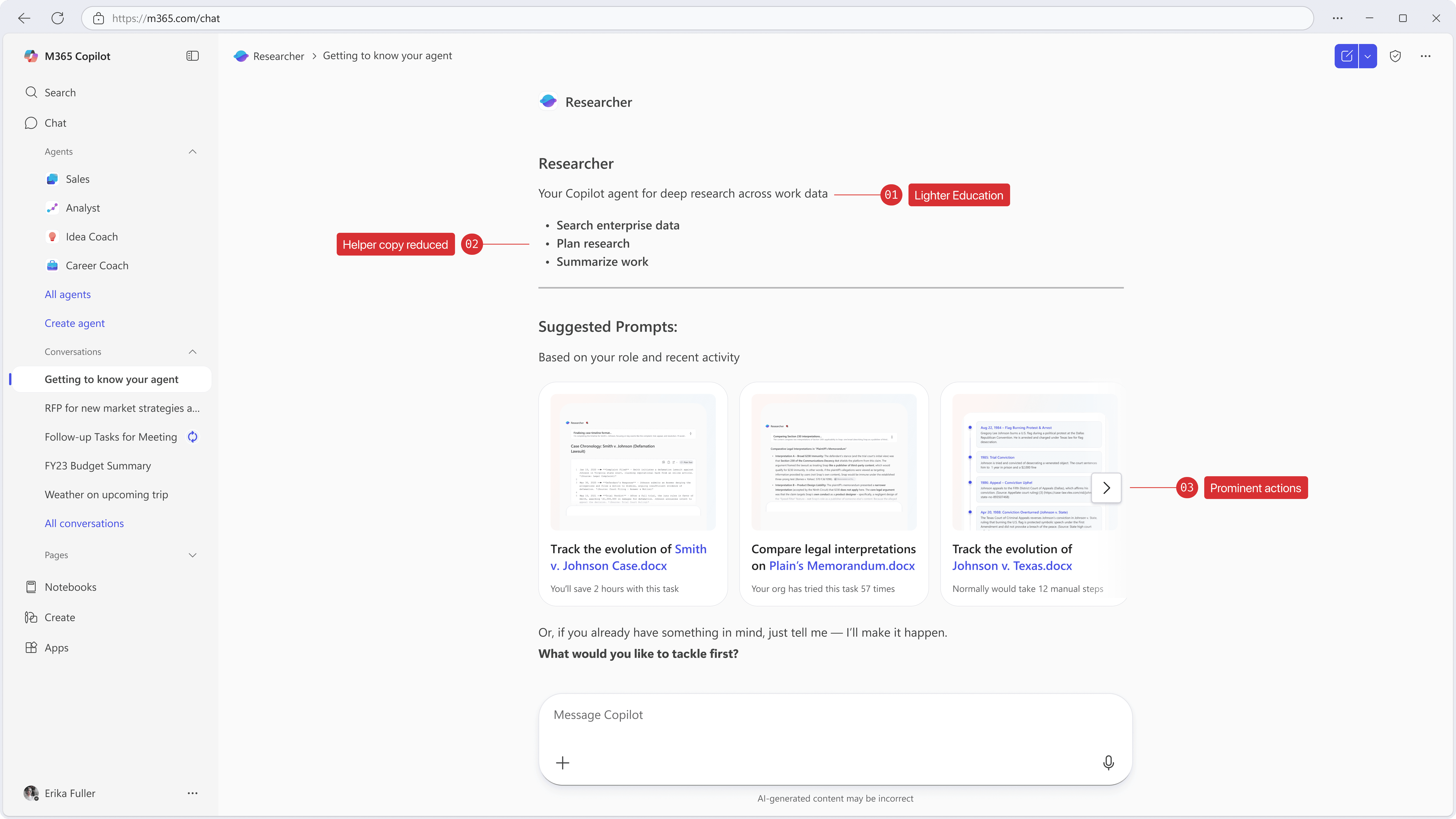
After initial familiarity, guidance recedes and the primary actions become easier to reach.
Established user
Direct access
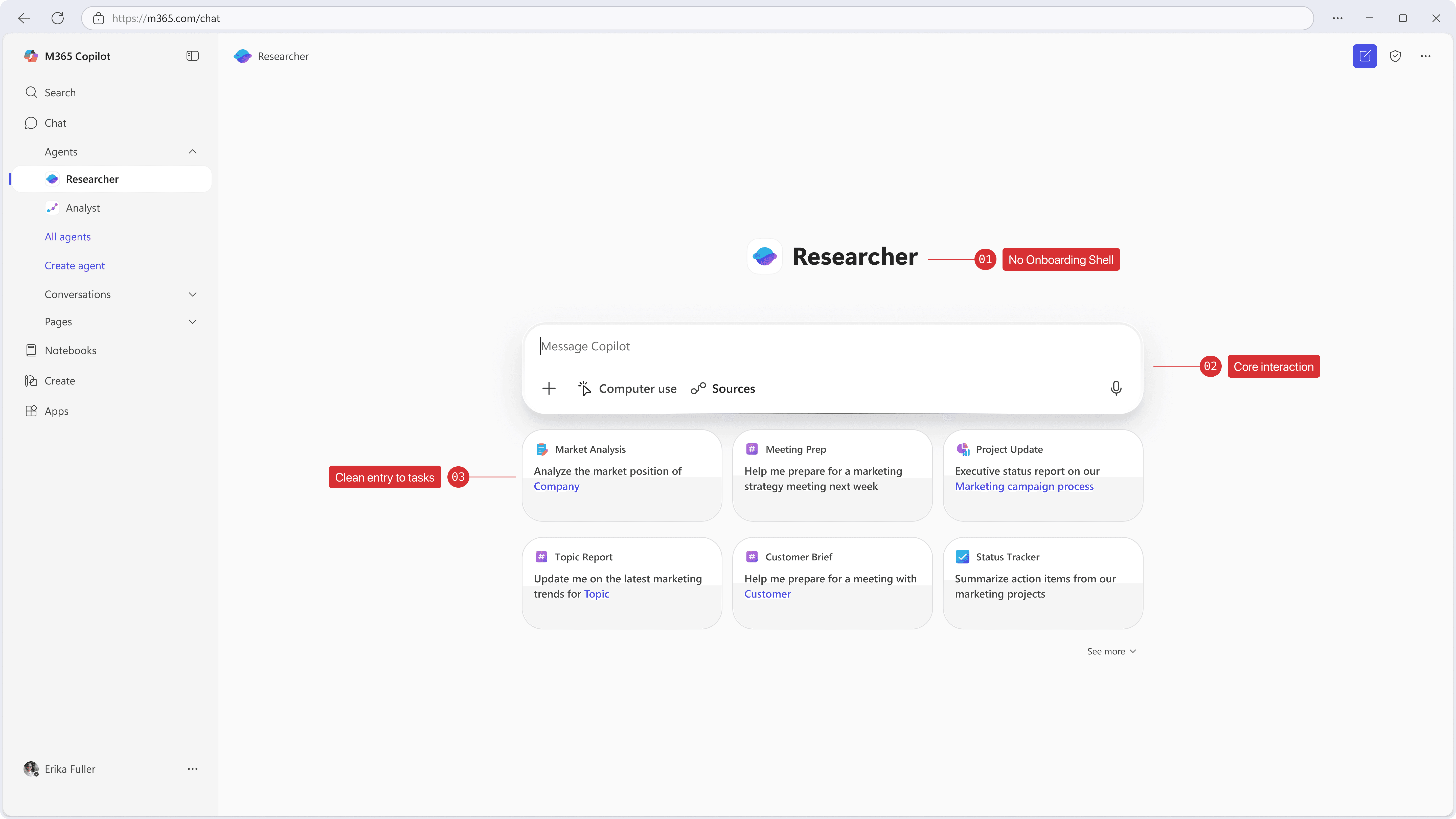
Once the model is familiar, the interface gets out of the way and prioritizes direct task entry.
What went wrong
Data signal ≠ Intent signal.
Real output was delivered in version one. Capability retention only moved for already-motivated users. The ones who needed the framework most were still bouncing.
Session recordings identified the gap: the Connect step surfaced prompts personalized by recency — recent files, calendar — but not by intent. Users saw what the agent could do. They didn't understand why it mattered for their active work.
Shipped — recency signal
"Here are things I can help with."
Users understood what the agent was, but lacked clarity on when to use it, limiting task initiation.
Needed — intent signal
"You've been working on Q3 Review — here's how this agent makes that faster."
Effective onboarding required clearer, task-based triggers that aligned with real user intent rather than general capability framing.
Cost of the fix
+1 week engineering
Addressing this required reworking entry points and interaction timing, not just refining surface-level UI elements.
Result
Capability retention improved in re-test
Subsequent iterations improved task initiation by aligning entry points more closely with user intent and context.
Implementation Results
A/B tested. ~5,000 users. p < 0.05.
+31% capability retention means users came back and used the specific capability the framework introduced — not the agent in general. That's behavior change, not task completion.
AI Integration
How I used AI in the design process
Framing the problem space
I used AI to synthesize early signals from 1,000+ research sessions into an initial model of onboarding breakdowns, allowing me to quickly identify recurring failure patterns across agents.
Exploring the solution space
I used AI to generate and stress-test variations of onboarding structures and prompt patterns, helping me evaluate different interaction models before committing to a system direction.
Accelerating iteration
During design, I used AI to simulate agent responses and validate prompt clarity, enabling faster iteration on task-led flows and reducing ambiguity before usability testing.
This allowed me to focus design time on refining the interaction model and system behavior, rather than manually generating and testing variations.
Reflection
The Connect step shipped under-built.
I shipped Connect knowing it was under-built. Session data showed the intent gap before launch. I chose team alignment over the delay. The retention numbers for low-motivation users reflect that call.
Summary
TL;DR
Problem
Copilot agents lacked a consistent onboarding model, resulting in fragmented entry points and unclear usage.
Decision
Designed a chat-native onboarding system based on progressive guidance embedded within the interaction flow.
Result
Improved users’ ability to quickly identify when and how to use agents within real workflows, reducing friction in task initiation.
What it required
Defining a scalable interaction model, aligning multiple teams around a shared pattern, and restructuring onboarding to adapt to user familiarity over time.